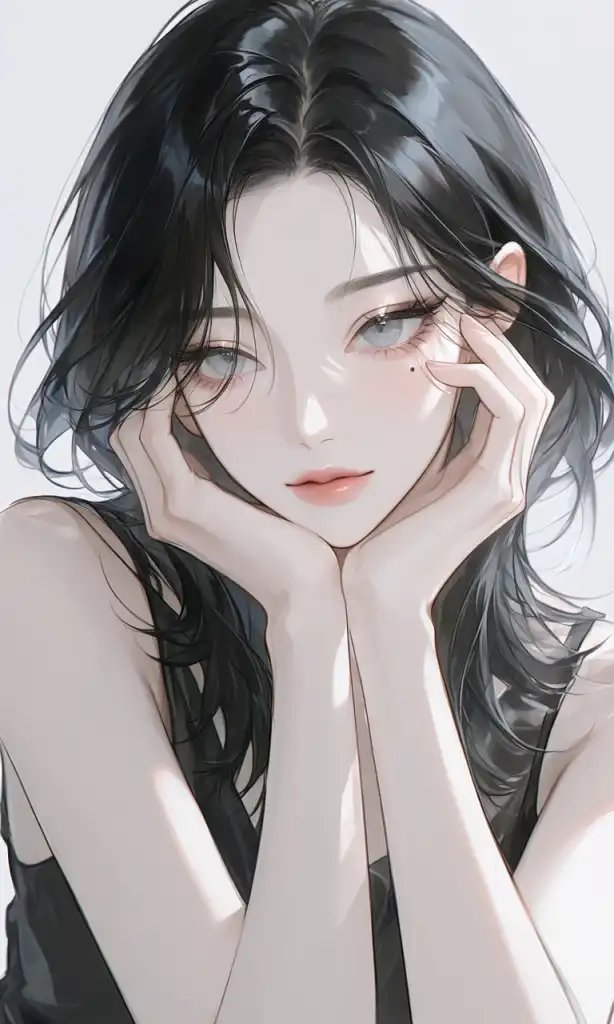

Midjourney is an AI image generation tool that creates pictures from text prompts. It is known for producing high-quality, artistic, and stylized images. Many designers, artists, marketers, and hobbyists use it to generate concept art, illustrations, and visual ideas quickly.
This guide explains what Midjourney is, how it works, its main features, pricing approach, strengths and limitations, and practical tips for better results.
What Is Midjourney?
Midjourney is an artificial intelligence platform that turns written descriptions into images. Users submit prompts, and the system generates visual outputs based on those instructions. It has gained popularity for its strong aesthetic quality and distinctive artistic style compared to some other AI image tools.
The tool is commonly used for:
- Concept art and ideation
- Digital illustrations
- Marketing and social media visuals
- Creative exploration
- Style experimentation
How Midjourney Works
The basic workflow is simple:
- The user writes a text prompt describing the desired image
- Midjourney’s AI model processes the prompt
- The system generates one or more image options
- The user can upscale, create variations, or refine the prompt
- Final images can be downloaded
More detailed prompts that specify subject, style, lighting, composition, and mood generally produce stronger results.
Key Features
- High-quality artistic image generation
- Multiple variations from a single prompt
- Upscaling options for higher resolution
- Style and parameter controls
- Community features for sharing and discovering prompts
- Regular model updates that improve output quality
These features make it suitable for both beginners and more experienced users.
Pricing Overview
Midjourney typically operates on a subscription model. Plans usually differ by:
- Number of images or fast generations allowed
- Access to newer models
- Commercial usage rights
- Priority processing
A free trial or limited access period has been offered at times, but availability changes. Users should check the official Midjourney site for current plan details and pricing.
Tips for Better Midjourney Results
- Write clear and specific prompts
- Include style references (cinematic, oil painting, photorealistic, etc.)
- Describe lighting, colors, and composition
- Use parameters to control aspect ratio and quality when available
- Generate multiple versions and compare them
- Refine prompts based on previous outputs
- Study effective prompts shared by other users
Basic prompt example:
A mountain landscape at sunset
Improved prompt example:
A dramatic mountain landscape at sunset, golden light, detailed peaks, cinematic composition, photorealistic style
Strengths and Limitations
Strengths
- Strong artistic quality
- Distinctive visual style
- Good for creative and conceptual work
- Active community for learning
- Regular improvements to the model
Limitations
- Results can vary between generations
- Fine details such as text and hands may be imperfect
- Requires a subscription for ongoing use
- Commercial rights depend on the plan
- Learning effective prompting takes practice
Midjourney vs Other AI Image Tools
Midjourney is often compared with other text-to-image platforms. It is frequently praised for artistic output, while other tools may offer different strengths in photorealism, editing features, or pricing. Many users test more than one platform depending on the project.
Key Takeaways
- Midjourney is an AI image generator known for high-quality artistic results
- Clear, detailed prompts improve output quality
- It operates mainly on a subscription model
- The tool is popular for concept art, illustrations, and creative projects
- Users should review current pricing and usage rights on the official site
Frequently Asked Questions
Is Midjourney free?
Access policies change. Check the official Midjourney website for current free trial or plan options.
Can I use Midjourney images commercially?
Commercial use typically depends on the subscription plan. Review the official terms before using images for business purposes.
How do I write better prompts?
Include specific details about the subject, style, lighting, colors, and composition. Studying successful prompts from other users also helps.
Does Midjourney work in a browser?
Midjourney has primarily operated through Discord, though access methods can evolve. Confirm the current platform on the official site.
Related Guides
Official resource: Midjourney Official Site




Leave a Reply