
Google Gemini is a family of advanced artificial intelligence models developed by Google. It is designed to handle text, images, code, and other types of input, and it powers many of Google’s AI features across Search, Workspace, and other products.
This guide explains what Gemini is, its main capabilities, how it compares to other AI models, and how people use it in 2026. It covers related searches such as “جيمني.”
Quick answer: Google Gemini is Google’s family of multimodal AI models, developed by Google DeepMind, and also the name of Google’s AI assistant app. Gemini can understand and generate text, analyse images, documents, and audio, write code, and help with tasks across Google services such as Gmail, Docs, and Search. It is available free with limits, with more advanced models and higher usage on paid Google AI plans.
What Is Google Gemini?
Google Gemini is a multimodal AI model that can understand and generate text, analyze images, work with code, and process other forms of information. It was developed to compete with other leading large language models and is integrated into several Google services.
Gemini is available in different sizes and versions, with more capable models offered through paid plans or specific products.
Key Capabilities of Gemini
- Text generation and conversation
- Image understanding and analysis
- Code writing and debugging assistance
- Multimodal input (text + images)
- Integration with Google Search and Workspace
- Reasoning and problem-solving tasks
- Support for multiple languages
How People Use Google Gemini
Everyday Tasks
Writing emails, summarizing articles, brainstorming ideas, and answering questions.
Work and Productivity
Drafting documents, analyzing data, creating presentations, and assisting with research inside Google Workspace.
Learning and Education
Explaining concepts, helping with homework, and generating study materials.
Creative Work
Generating ideas, writing stories, and assisting with content creation.
Gemini vs Other AI Models
| Feature | Google Gemini | Other Leading Models |
|---|---|---|
| Multimodal | Strong | Varies |
| Google integration | Excellent | Limited |
| Reasoning | Competitive | Competitive |
| Availability | Through Google products | Various platforms |
| Free access | Limited free tier | Varies |
Current Access to Gemini
Gemini is available through:
- Google Gemini app and website
- Integration in Google Search (in supported regions)
- Google Workspace features
- API access for developers
Availability and features can differ by country and account type.
Limitations of Gemini
- Free usage has limits
- Responses can still contain errors
- Performance varies by task complexity
- Some advanced features require a paid subscription
- Real-time information depends on integration with Search
Tips for Better Results with Gemini
- Write clear and specific prompts.
- Provide context when needed.
- Break complex requests into smaller steps.
- Use follow-up questions to refine answers.
- Verify important information independently.
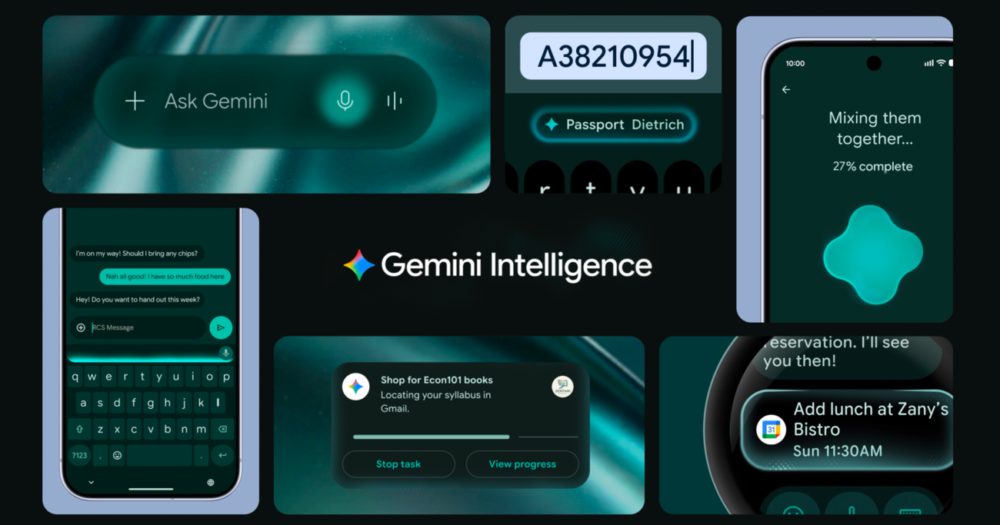
- Take advantage of Google Workspace integrations when available.
Gemini: Model vs App
The name Gemini is used in two ways, which often causes confusion:
- Gemini models: the underlying AI models built by Google DeepMind, offered in different sizes such as Pro, Flash, and Flash-Lite. Developers access them through Google AI Studio and Google Cloud.
- The Gemini app: the consumer assistant on the web, Android, and iOS (and on desktop), which replaced Google’s earlier chatbot, Bard, in early 2024.
When people search “What is Gemini?”, they usually mean the app, but the same models also power AI features in Google Search, Workspace, and Android.
A Short History of Gemini
- December 2023: Google introduced Gemini as its most capable AI model family at the time.
- February 2024: Bard was renamed Gemini, and the Gemini app launched more widely.
- Since then: Google has released several generations of Gemini models, with a focus on reasoning, longer context, multimodal understanding, and agent-like features that complete tasks.
- October 2026: Google announced Gemini 4 Argon in the Gemini app for Google AI Pro and Ultra subscribers, describing it as delivering frontier reasoning and major coding improvements.
Gemini Models Explained
| Model tier | Designed for | Typical use |
|---|---|---|
| Pro | Advanced reasoning and complex tasks | Research, analysis, coding, long documents |
| Flash | Speed and efficiency with strong quality | Everyday tasks, quick answers, summaries |
| Flash-Lite | Fast, lightweight responses | Simple questions and high-volume use |
| Argon | Google’s newest frontier model in the app (October 2026) | Complex reasoning, coding, longer tasks |
Google regularly updates model versions, so the names shown in the app may change over time.
Gemini Plans and Access (October 2026)
Google offers Gemini through several tiers: no subscription, Google AI Plus, Google AI Pro, and Google AI Ultra. According to Google’s updated support documentation reported by 9to5Google in October 2026, users without a subscription are limited to the Flash-Lite model, AI Plus subscribers can use Flash-Lite and Flash, and AI Pro and Ultra subscribers can access Pro models as well. Google announced that Gemini 4 Argon is available to AI Pro and Ultra subscribers.
Prices and features vary by country, so check Google’s official subscription page for current details.
How to Start Using Gemini
- Go to the Gemini website or download the Gemini app on Android or iPhone.
- Sign in with your Google account.
- Type, speak, or upload a file or image to start a conversation.
- Choose a model if the option is shown on your plan.
- Connect Google apps such as Gmail, Drive, or Calendar if you want Gemini to use your own information.
- Review the privacy settings in your Gemini activity controls.
What Gemini Can Do: Practical Examples
- Summarise long documents: upload a PDF report and ask for the key points and actions.
- Write and edit: draft an email, rewrite a paragraph in a friendlier tone, or create a social media post.
- Plan: build a travel itinerary or weekly meal plan.
- Learn: ask for step-by-step explanations of a maths problem or a historical event.
- Code: generate, explain, or debug code. Google has also brought its Antigravity agentic coding interface into the Gemini macOS app.
- Analyse images: photograph a chart, product label, or homework question and ask questions about it.
- Get tasks done: Google says Gemini can connect to more than 40 apps, such as Instacart, OpenTable, Adobe, and Shopify, and on supported plans you can switch from chat to tasks so Gemini can work in the background.
Gemini vs ChatGPT vs Claude
| Factor | Google Gemini | ChatGPT | Claude |
|---|---|---|---|
| Developer | Google DeepMind | OpenAI | Anthropic |
| Biggest strength | Integration with Google apps and Android | Broad features and large user base | Long documents, writing, and coding |
| Free access | Yes, with model and usage limits | Yes, with limits | Yes, with limits |
| Best for | People who live in Gmail, Docs, and Android | General use and a wide range of tools | Detailed writing, analysis, and coding |
All three improve frequently, so the best choice depends on the tasks you do and the apps you already use.
Privacy and Data Tips
- Review Gemini Apps Activity settings in your Google account to control whether conversations are saved.
- Avoid entering sensitive personal, financial, or confidential work information unless your organisation’s policy allows it.
- On work or school accounts, your administrator’s settings may control how Gemini handles your data.
- Remember that connected apps let Gemini read information such as emails or files, so connect only what you need.
Common Mistakes When Using Gemini
- Accepting answers without checking facts, especially for health, legal, or financial questions
- Writing vague prompts instead of giving context, goals, and format
- Forgetting to use the right model for complex tasks on plans that allow a choice
- Uploading low-quality images or scanned documents and expecting perfect results
- Not reviewing actions before Gemini completes tasks in connected apps
Example Prompts to Try in Gemini
- “Summarise this PDF in five bullet points and list any deadlines it mentions.”
- “Find emails from my landlord this month and summarise what they asked for.”
- “Plan a three-day trip to Edinburgh for two adults on a moderate budget.”
- “Explain this Python error and suggest a fix.”
- “Look at this photo of my fridge and suggest three dinners I could make.”
Key Takeaways
- Google Gemini is a multimodal AI model integrated across Google products.
- It handles text, images, code, and reasoning tasks.
- Strong integration with Google services is a major advantage.
- Free and paid access options are available.
- Clear prompts and verification improve usefulness.
- “Gemini” refers both to Google DeepMind’s AI models and to Google’s Gemini assistant app.
- From October 2026, free users are limited to Flash-Lite, while paid Google AI plans unlock more capable models, including Gemini 4 Argon on Pro and Ultra.
Related Guides
- LLM Leaderboard: Complete Guide to Ranking Large Language Models
- LLM Leaderboard Explained: How AI Models Are Ranked and Compared
- Artificial Analysis: What It Means and How It Is Used
Frequently Asked Questions
What is Google Gemini?
Gemini is Google’s family of advanced AI models that can work with text, images, code, and other inputs.
Is Gemini free to use?
A free tier is available with limits. More advanced features and higher usage require a paid plan.
How is Gemini different from ChatGPT?
Gemini has deep integration with Google services and strong multimodal capabilities. Performance varies by specific task.
Can Gemini analyze images?
Yes. Gemini can understand and answer questions about uploaded images.
What is the latest Gemini model?
In October 2026, Google announced Gemini 4 Argon in the Gemini app, available to Google AI Pro and Ultra subscribers. Google says it improves reasoning, gives more direct answers, and brings major coding improvements. Model names change frequently, so check the model picker in the app for the current options.
Is Gemini the same as Google Bard?
Gemini replaced Bard. In February 2024, Google renamed its Bard chatbot to Gemini to match the name of its AI model family. The Gemini app has since gained many new features, including file analysis, image generation, connections to Google apps, and task completion on supported plans.
Can Gemini access my Gmail and Google Drive?
Yes, if you choose to connect them. Gemini can use information from apps such as Gmail, Drive, and Calendar to answer questions like “summarise emails from my manager this week”. You can manage these connections and your Gemini activity settings in your Google account at any time.
Which Gemini model do free users get?
According to Google’s support documentation, as reported in October 2026, users without a Google AI subscription are limited to the Flash-Lite model in the Gemini app. AI Plus adds Flash, while AI Pro and Ultra include Pro models. Plans and limits can change, so check Google’s subscription page.





Leave a Reply