
A stem splitter is an AI-powered tool that separates a mixed audio track into individual stems, such as vocals, drums, bass, and other instruments. Musicians, producers, DJs, and content creators use stem splitters to remix songs, remove vocals, isolate instruments, or create karaoke versions. This guide explains what a stem splitter is, how it works, the best use cases, limitations, and tips for getting cleaner results. Quick answer: A stem splitter is software, usually powered by AI, that takes a finished song and separates it into individual parts called stems, such as vocals, drums, bass and other instruments. It does this by analysing the audio as a spectrogram and predicting which sounds belong to each source, then rebuilding each part as a separate audio file.
What Is a Stem Splitter?
A stem splitter uses artificial intelligence to analyze a stereo or mixed audio file and separate it into different audio stems. Common stems include:
- Vocals
- Drums
- Bass
- Other instruments (guitars, synths, etc.)
Once separated, each stem can be edited, remixed, or used independently.
How Stem Splitters Work
Modern stem splitters rely on machine learning models trained on large amounts of music. The AI identifies patterns associated with different instruments and voices, then reconstructs each stem as a separate audio file. The quality of separation depends on the model, the complexity of the original mix, and the type of music.
Common Uses of a Stem Splitter
- Creating karaoke or instrumental versions
- Remixing or reworking existing tracks
- Isolating vocals for sampling or analysis
- Removing background music from speech recordings
- Educational music analysis
- Content creation for social media and videos
Popular Stem Splitter Tools
Several AI tools offer stem separation, including both free and paid options. Features usually vary by:
- Number of stems available
- Audio quality
- Processing speed
- Export formats
- Batch processing capability
Limitations of Stem Splitters
- Separation is rarely perfect, especially in dense mixes
- Some instruments may bleed into other stems
- Heavily processed or compressed tracks produce lower quality results
- Very similar sounds (such as multiple guitars) are harder to separate cleanly
- Free tools often have quality or length restrictions
Tips for Better Stem Separation Results
- Start with the highest quality audio file available.
- Choose a tool known for the type of music you are working with.
- Experiment with different models or settings if available.
- Use EQ and noise reduction on the separated stems afterward.
- Accept that some manual cleanup may still be needed.
- Test short sections before processing full tracks.
Stem Splitter vs Traditional Audio Editing
| Method | Speed | Quality Control | Skill Required |
|---|---|---|---|
| AI Stem Splitter | Fast | Medium | Low |
| Manual Editing | Slow | High | High |
| Hybrid Approach | Medium | High | Medium |
| Many professionals use AI separation first, then refine the results manually. |
What Are Stems in Music?
In music production, a stem is a group of related tracks mixed down into one audio file. A drum stem might contain the kick, snare, hi-hats and cymbals together. A vocal stem might include the lead vocal and backing vocals. Stems sit between a full multitrack session, which may have dozens of separate tracks, and the final stereo mix. When an artist or label shares official stems, they come directly from the original session. A stem splitter, by contrast, estimates stems from the finished mix. That difference explains why AI-separated stems are useful but rarely identical to the originals.
Common Stem Configurations
| Split type | Typical outputs | Best for |
|---|---|---|
| 2-stem | Vocals and instrumental | Karaoke tracks, a cappellas, quick remixes |
| 4-stem | Vocals, drums, bass, other | DJ sets, practice, general remixing |
| 5-stem | Vocals, drums, bass, piano, other | Songs where keys play a major role |
| 6-stem or more | Adds guitar and further instruments | Detailed transcription, band practice |
| More stems give more control, but each extra split increases the chance of artefacts, because instruments that share frequency ranges are harder to tell apart. |
The Technology Behind AI Stem Separation
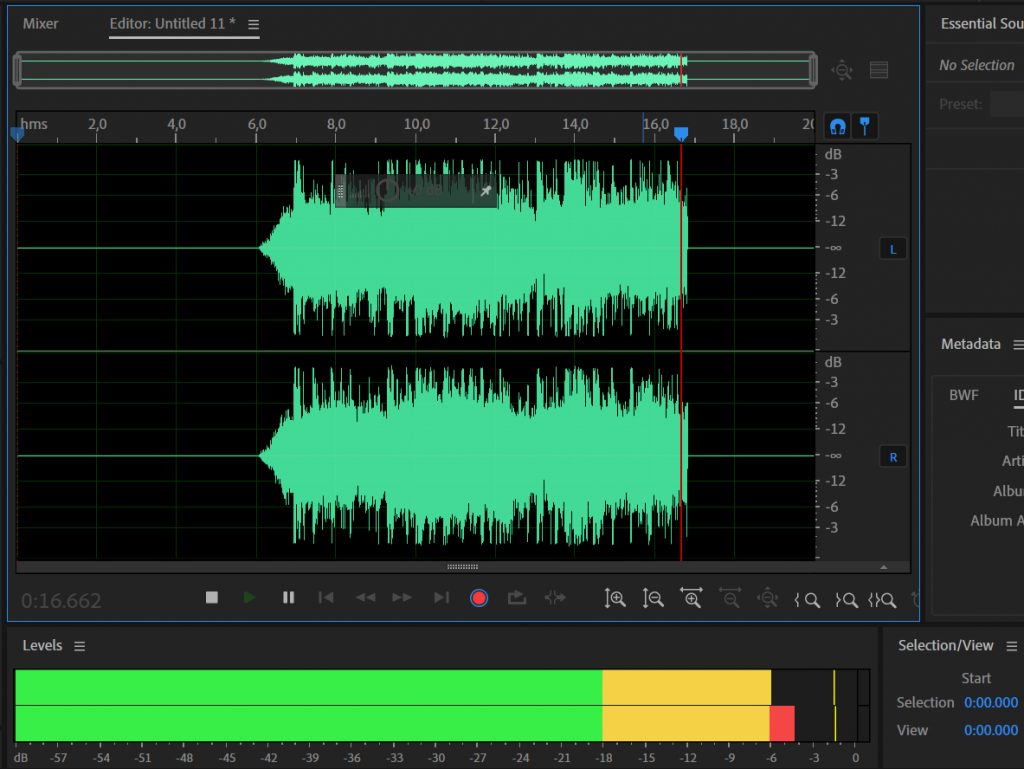
Most modern stem splitters follow the same broad process:
- Conversion to a spectrogram. The audio is turned into a visual map showing how much energy is present at each frequency over time.
- Prediction by a neural network. A model trained on many songs where both the full mix and the true stems were available learns what each instrument typically looks like in that map.
- Masking. For each stem, the model produces a mask with values between 0 and 1. A value near 1 keeps that part of the sound, and a value near 0 removes it.
- Reconstruction. The masked spectrograms are converted back into audio, producing one file per stem.
Some newer models, such as Hybrid Transformer Demucs, process both the spectrogram and the raw waveform in parallel and combine the results, which helps with the phase information that pure spectrogram methods have to approximate. An important point is that separation is an estimate. When a song is mixed, all the parts are summed together, and that process cannot be perfectly reversed. The model produces the most plausible version of each part based on what it has learned.
Well-Known Stem Splitter Options
Open-source models
- Demucs, developed by Meta's research team, is widely used and forms the basis of many other tools.
- Spleeter, released by Deezer, was one of the first freely available AI separation tools and is still used in some apps.
- Ultimate Vocal Remover (UVR) is a free desktop application that lets users choose between several separation models.
Built into music software
- Logic Pro introduced a Stem Splitter feature in Logic Pro 11 for Mac.
- FL Studio added built-in stem separation in recent versions.
- DJ software such as Serato and djay offers real-time stem controls for live mixing.
Online services and apps Services such as LALAL.AI and Moises let you upload a song and download stems without installing anything. They usually offer limited free use with paid plans for longer files or higher quality.
How to Use a Stem Splitter: Step by Step

- Choose the best source file. Use a lossless file such as WAV or FLAC if possible. Heavily compressed MP3s or audio ripped from video sites contain artefacts that the model will carry into the stems.
- Pick the split type. Choose 2 stems for vocals and instrumental, or 4 or more for detailed work.
- Select a model if offered. Some tools let you choose between models optimised for vocals, drums or overall quality.
- Run the separation. Processing time depends on song length, model and whether a graphics card is available.
- Listen to each stem in solo. Check for bleed, such as cymbals in the vocal stem or vocal echoes in the instrumental.
- Clean up if needed. Use EQ, gating or a spectral editor to reduce remaining bleed.
- Import into your project. Line the stems up at the start of your session so they stay in sync.
Who Uses Stem Splitters?
- Musicians practising: Guitarists, bassists and drummers mute their own instrument and play along with the rest of the band.
- Singers: Vocalists create backing tracks for rehearsal and performance.
- DJs and producers: They isolate an a cappella or drum loop for remixes and mash-ups, ideally with permission for any release.
- Music teachers and students: Isolated parts make it easier to hear and transcribe what each instrument plays.
- Video editors and podcasters: They separate dialogue from background music in recordings they own.
- Audio restoration specialists: They rebalance old recordings where original multitracks no longer exist.
Common Problems and How to Fix Them
Vocal stem contains cymbals or hi-hats High-frequency percussion overlaps with sibilant vocal sounds. Try a different model, or apply a gentle de-esser or low-pass filter to the vocal stem. Bass sounds thin or mixed with the kick drum Kick drums and bass share low frequencies. A model with a dedicated bass stem usually helps, and light EQ can tidy the result. "Other" stem sounds messy The "other" stem collects everything the model could not assign elsewhere. If you need guitars or keys on their own, use a tool that offers 5 or 6 stems. Watery or phasey sound This is a typical artefact of spectral masking. Using a higher-quality source file and a newer model generally reduces it.
Legal and Ethical Points
Separating stems for personal practice or study is a common and generally low-risk use. Publishing, streaming or selling remixes made from someone else's recording is different, because the underlying song and recording are protected by copyright. If you plan to release work that uses separated stems, seek permission or a licence from the rights holders, or use official stems that artists release for remix contests.
Key Takeaways
- A stem splitter uses AI to separate mixed audio into individual instrument and vocal tracks.
- It is useful for remixing, karaoke, sampling, and content creation.
- Results are rarely perfect and often require some cleanup.
- Higher quality source files produce better separation.
- Stem splitters save significant time compared with fully manual methods.
- Lossless source files and newer models produce the cleanest stems.
- Official stems from the original session will always be more accurate than AI estimates.
Frequently Asked Questions
What is a stem splitter used for?
It is used to separate a song into individual parts such as vocals, drums, bass, and other instruments.
Are stem splitters free?
Some tools offer free versions with limitations. Higher quality or longer processing usually requires a paid plan.
Can a stem splitter remove vocals completely?
It can reduce or isolate vocals effectively in many cases, but complete and clean removal is not always possible.
Is stem separation legal?
Using stem splitters on music you own or have rights to is generally acceptable. Separating and redistributing copyrighted material without permission may violate copyright law.
What is the best free stem splitter?
Popular free options include Ultimate Vocal Remover for desktop and open-source models such as Demucs, which many other tools are built on. Online services often provide a few free separations before asking for payment. The best choice depends on whether you prefer a simple website or more control on your own computer.
How many stems can AI separate?
Most tools offer 2 stems (vocals and instrumental) or 4 stems (vocals, drums, bass and other). Some services split 5, 6 or more, adding piano, guitar and other instruments. More stems give more control, but quality can drop for instruments that overlap heavily in frequency.
Does Logic Pro have a stem splitter?
Yes. Apple added a Stem Splitter feature in Logic Pro 11 for Mac. It lets you separate a mixed audio file into stems such as vocals, drums and bass directly inside your project, which is useful for remixing, practice and recovering parts from old demos.
Why do separated stems sound worse than the original?
Separation is an estimate, because a finished mix cannot be perfectly unmixed. Where instruments share the same frequencies, the model has to guess, which leaves bleed, metallic tones or a watery sound. Starting with a high-quality file and choosing a newer model usually improves results noticeably.






Leave a Reply